
With so many people working from home these days, it’s kind of inevitable that some couples are working from home together.
Right when lockdown first hit, everyone thought this working arrangement would be very temporary. You might have both been sat at the kitchen table with your laptops. Until suddenly you realise it’s 5 years later and you still have the same setup. Not ideal, right? It’s probably not good for your working selves but also for your relationship.
But sharing a workspace sometimes isn’t as simple as putting two desks in a room and calling it a day. It’s about creating two separate work environments that somehow coexist without one person’s Zoom calls driving the other completely barmy.
I’ve been through this journey with my other half, and let me tell you, there were some disasters along the way. But we figured it out eventually, and now we actually quite like working in the same space.
Before I get into the details, if you take just one thing away from this article, it’s this:
You both need your own individual workstations to make working from home together a success. Separate desks, separate equipment.
While this looks ideal:
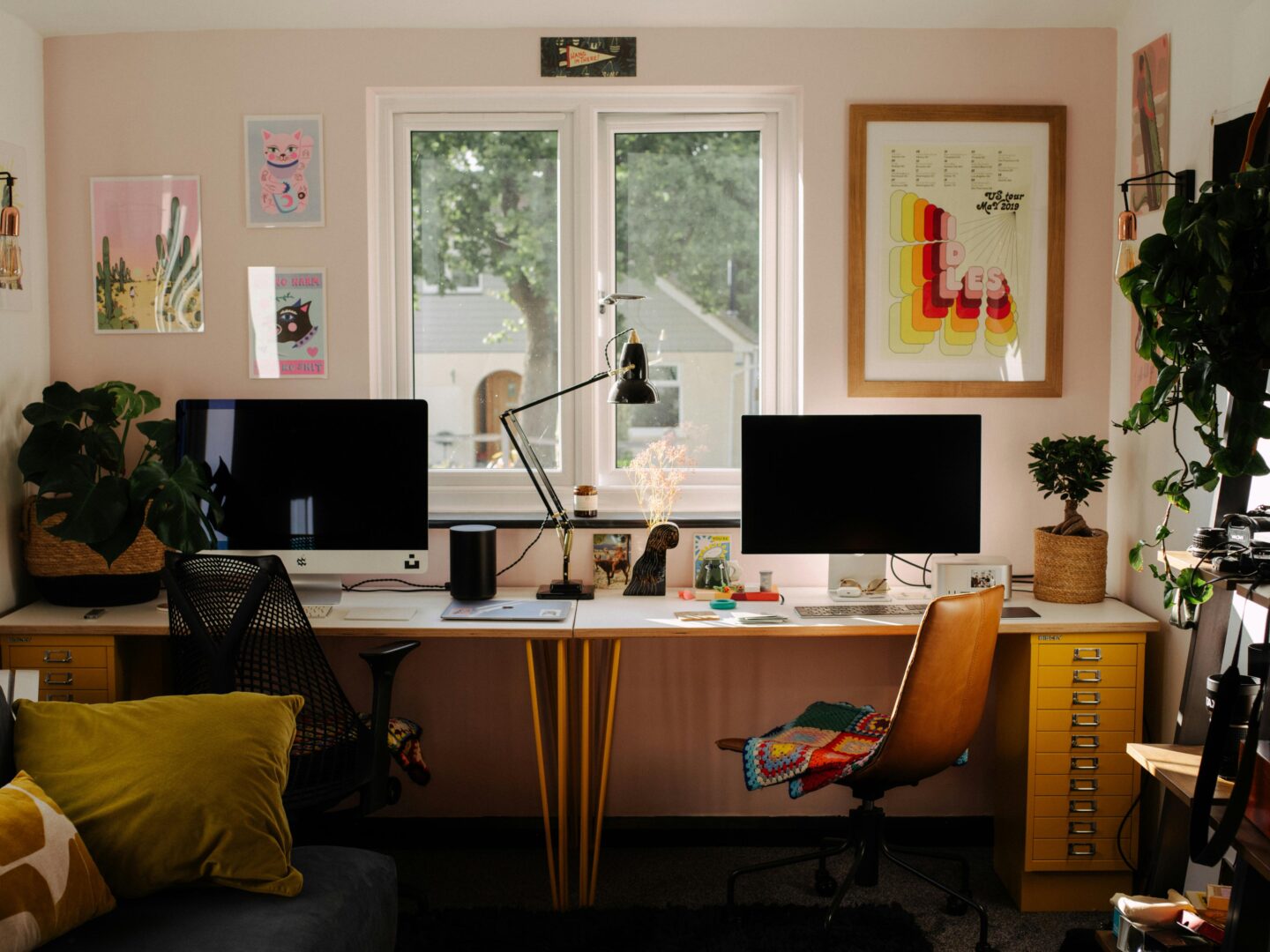
It could have an impact on your productivity (and your relationship). So with that out in the open, let’s see how you can create the perfect home office.
Step 1: Getting the layout right
Layout is really important when you’re setting up a shared home office. If you can get that right first, the rest will fall into place.
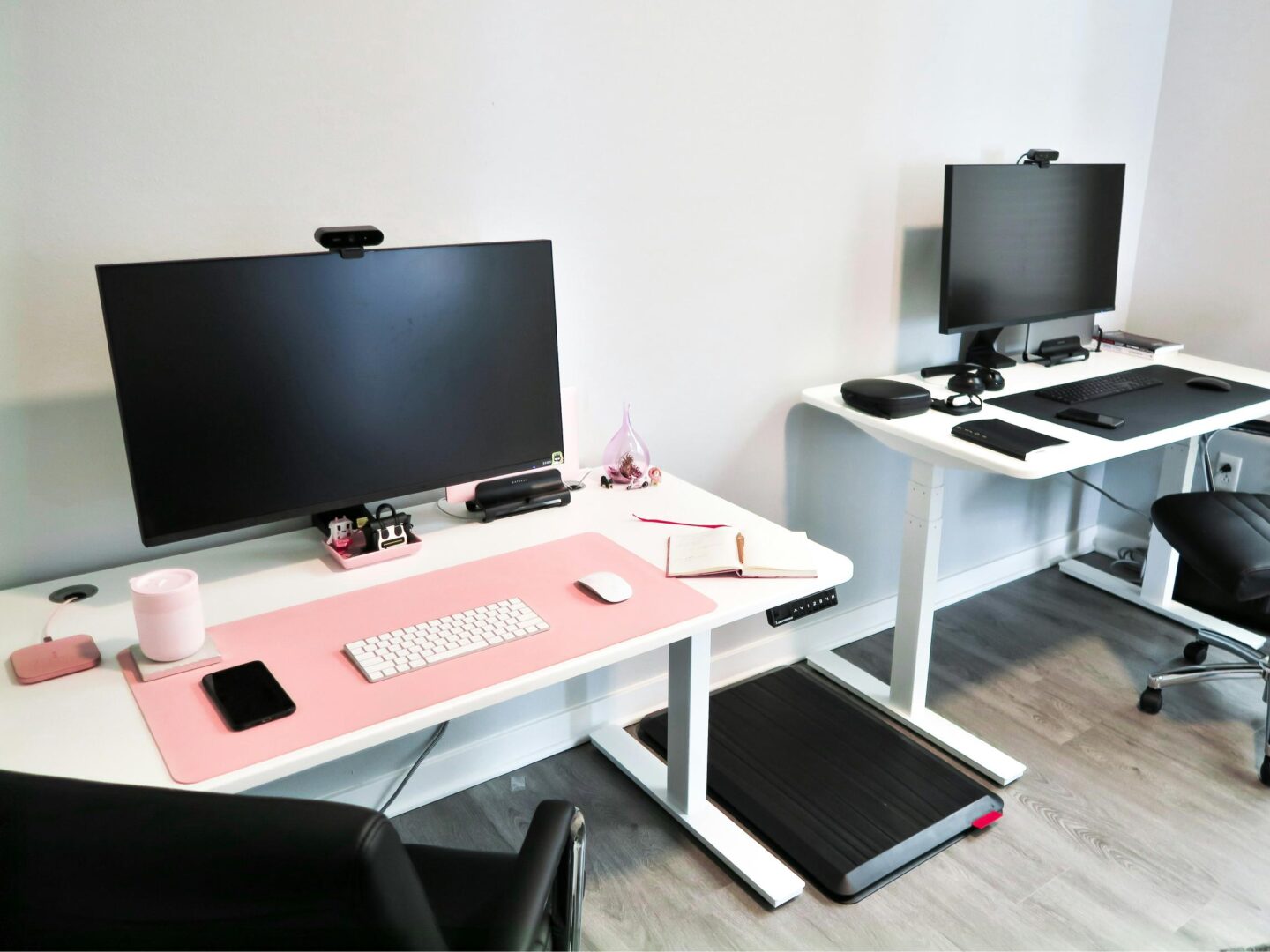
The ideal setup is going to be desks against opposite walls.
This means you’re back-to-back with each other, with a space to walk between. It means you aren’t getting distracted looking at the other person’s screen or even having a conversation with them. With headphones in, you wouldn’t even know they were there, which is a win in my opinion (I get distracted easily).
If you can’t make this work, then side-to-side is your next best option, but with a gap or a boundary.
Create some boundaries
In a shared space, you might feel like you need some separation from your working partner. If the room size or layout means you can’t be back-to-back on opposite walls, you can put your desks next to each other with something to separate you.
It could be something as simple as a tall plant or a bookcase. You don’t want a complete wall, as you’ll probably want some kind of openness, but you’ll want enough of a barrier to feel like you’ve got your own little zone.
The face-to-face mistake
The one layout you don’t want to choose is face-to-face with your screens against each other. It sounds romantic in theory, but in practice, you’ll spend the entire day making awkward eye contact whilst trying to concentrate.
The only way this could work is if your screen is big enough to completely block your partner’s face, like so:

Step 2: Choosing your home office chairs
After layout, it’s time to start thinking about the essential items of furniture that you need, like desks and chairs. I’d highly recommend an ergonomic chair that’s going to offer proper support.
Why cheap chairs can cause a problem
Here’s where most couples make a massive mistake – they buy one decent chair and one rubbish one to save money. Usually, the man gets the good chair and the woman ends up on something from IKEA that looks nice but murders your back.
Don’t do this. When both of you are working long hours, you both need proper ergonomic support. A bad chair won’t just hurt your back, but it will make you grumpy, restless, and generally horrible to be around.
And don’t think that you can share the ‘good’ chair, as that only ends in arguments, and you’ll constantly be readjusting the back support, the height and the armrests reach time you swap.
Investing in two good quality chairs
We ended up getting two Sihoo chairs from their UK range, and honestly, it transformed our shared office. The mesh backs are perfect because they don’t trap heat, and this is important when you’ve got two people in one room generating body warmth.

The adjustability is crucial too. My husband is taller than me and he likes to lean back while he works, whereas I like to be as upright as possible, so we need completely different chair settings. Being able to adjust everything properly means we’re both comfortable in our own spaces.
Good lumbar support keeps you in your chair properly instead of constantly shifting around and distracting your partner. When you’re both settled and comfortable, the whole room feels calmer, and when you have a good ergonomic chair, you’ll be more productive and less likely to start wandering around the house.
Step 3: Managing potential noise and distractions
When you’re sharing a workspace, it’s inevitable that there will be some noises and distractions.
The conference call nightmare
Video calls are the absolute worst part of shared offices. One person’s trying to look professional whilst the other’s clattering about in the background, or worse, accidentally wandering into shot in their pyjamas.
You need to have a plan on how you’ll overcome this. Could a schedule work for you? Proper meetings get priority booking of the room, and the other person clears off to the kitchen or garden. For quick calls or internal calls, use headphones and just accept there might be some background noise.
Noise-cancelling headphones are worth their weight in gold. Even when you’re not on calls, they help you focus when your partner’s typing away or muttering to themselves about spreadsheets. For longer-term solutions, some businesses even explore acoustic consultancy services to design spaces that minimise echo, background noise, and interruptions.
Factor in ‘quiet hours’
Some people think better when listening to music, or even walking around. Others need complete silence and stillness. It may work for you to designate some “quiet hours” when movement is kept to a minimum, and “flexible time” when pacing and general fidgeting is allowed. Sounds controlling, but it actually works brilliantly.
Step 4: Managing your storage and organisation
Two people working from home means double the paperwork, double the office supplies, and double the potential for chaos. You need serious storage solutions, not just a couple of desk drawers.
We’ve got separate storage systems – filing cabinets, desk organisers, the works. Everything has a home, and everything stays in its designated area. Sounds anal, but when space is limited, organisation is crucial.
Personal items stay personal. There’s nothing worse than reaching for your favourite pen and finding your partner’s used it and left it on their desk. It’s a small thing, but these little irritations definitely add up when it’s day in, day out.
Cable chaos multiplies exponentially with two workstations, as well. You’ll have power cables, USB cables, phone chargers, monitor cables, and it becomes a proper spider’s web if you’re not careful.
Under-desk cable trays for each workstation keep things separate and tidy. Label everything too – when one person needs to unplug something, they’re not playing guessing games with the other person’s setup, which is a winner when your partner is on a call and you need to risk unplugging something. You could even use separate extension cables to avoid this happening.
Step 5: Choose your lighting
If you’re lucky enough to have windows, you’ll need to negotiate who gets the prime spot. This can get political fast, as nobody wants to be stuck in the dark corner whilst their partner basks in natural light. You also don’t want to be the one with your back to the window with a glare on the screen.
It’s a tricky one to get right, so you’ll just have to experiment once you’ve chosen where your desks will go. It may be that you invest in a blind for the window and use artificial light for the majority of the day.
Adjustable desk lamps for both workstations eliminate arguments about overhead lighting. One person might like it bright whilst the other prefers dimmer lighting – individual lamps solve this completely.

When you’re both working late, good lighting becomes even more important. Eye strain makes people irritable, and irritable people in confined spaces is a recipe for arguments.
LED desk lamps with adjustable colour temperature are brilliant. You can use a cooler light for focused work and a warmer light for relaxed tasks. Having control over your own lighting environment makes a huge difference to comfort levels.
Step 6: Setting up your tech
No home office could run without the basic tech, including WiFi, printers, laptops, monitors and more.
Internet and WiFi considerations
Two people on video calls simultaneously can absolutely hammer your internet connection. We had to upgrade our broadband package because our old setup couldn’t handle both of us on calls at the same time.
Ethernet connections can be more reliable than WiFi for important calls, so potentially think about adding cables to both desks so that you can plug into the internet directly if needed. It sounds excessive, but dropped calls are incredibly unprofessional.
Monitor and screen sharing
Two large monitors in close proximity can create viewing angle issues. You don’t want to accidentally see confidential information from your partner’s screen, and they don’t want you reading their emails over their shoulder.
Privacy screens are worth considering if you handle sensitive information. They limit viewing angles so you can only see the screen clearly from directly in front of it.
Step 7: Personalising your own spaces
To really make your desk feel like your own, personalise it with some items that you love. You could put some photos on a frame, get a bespoke mouse mat, invest in a coloured keyboard and mouse. Do whatever you need to to make your desk yours. So people could walk in and say ‘That’s where she works and that’s where he works’.
Sharing a home office isn’t always sunshine and rainbows. Some days, you’ll want to throttle each other. But with proper planning, good equipment, and clear boundaries, it absolutely can work.
The key is treating it like two separate offices that happen to share four walls, not one office with two people squeezed into it. Invest in proper equipment for both people, establish clear boundaries, and accept that it takes time to find your rhythm.
When you get it right though, there are genuine benefits. Someone to troubleshoot tech problems with, built-in lunch company, and the security of knowing you’re not alone in the house all day. Just make sure you’ve both got decent chairs — trust me on this one.

Sarah is the creator and founder of Dream of Home, a website that began during Sarah’s first home renovation project. Since then, the site has grown and Sarah produces content around all things home, including home decor, DIY projects, renovation tips, inspiration and more. In her spare time, she loves to read and garden.
